
Review cards
Review the words from your talks as flashcards. See the meaning, find the word, and grade yourself. Each card comes back right before you forget it.
Review cards turns the words from your talks into flashcards. The front shows the meaning and your own sentence, with the word hidden. You find the word, then you see if you were right. Cards that you know come back later. Cards that you forget come back soon, and Uyen asks for them in your next talk.
Start a review
- Open the Words tab.
- Above Your focus, select Review cards. It shows how many cards are ready.
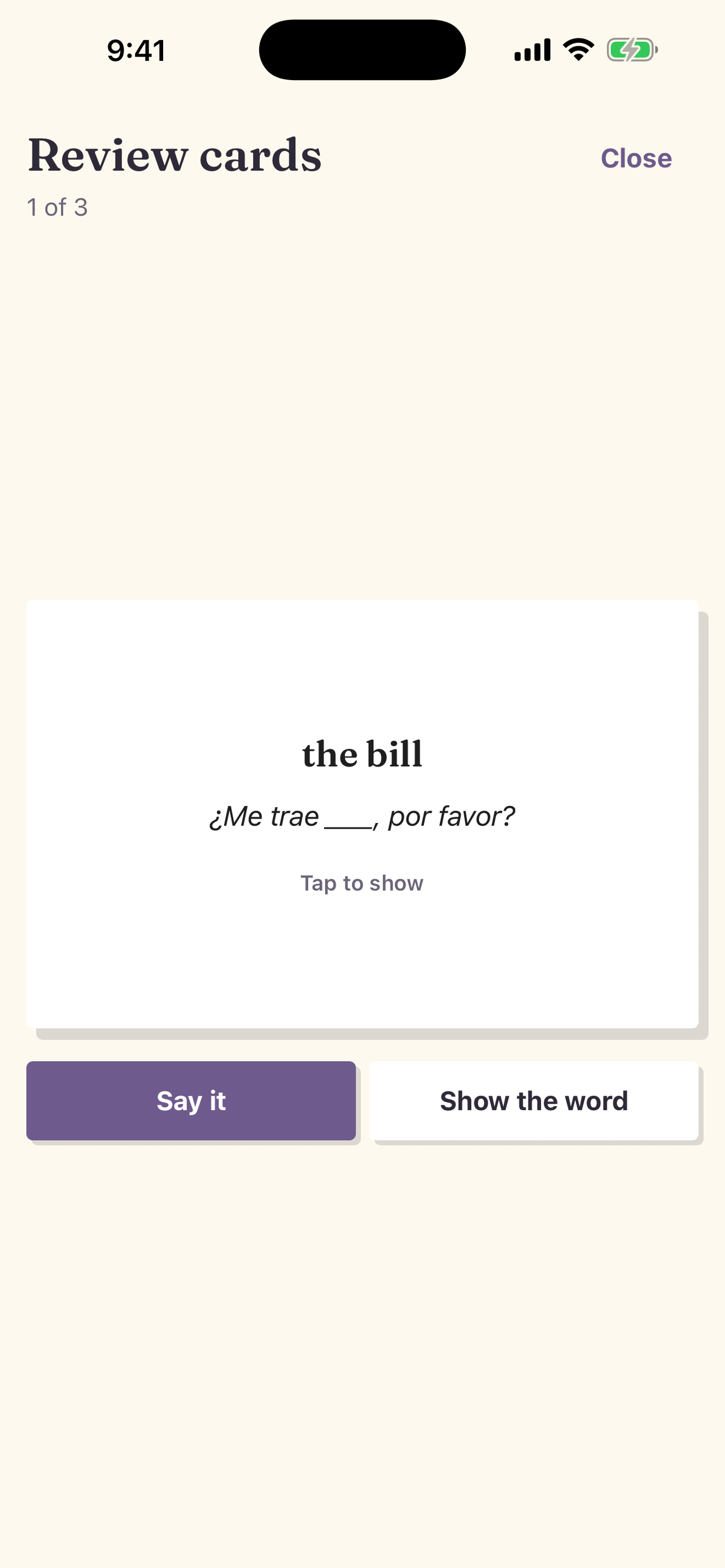
- Read the meaning and the sentence. Think of the missing word.
- Tap the card, or select Show the word.
- Select Forgot, Good, or Easy. The next card opens.
When the deck is empty, Uyen shows how many cards you reviewed. Select Start a talk to use your words, or Back to Words.
If Review cards says All caught up, no cards are ready now. Talk with Uyen, then look again.
What is in the deck
A review has up to 20 cards, in this order:
- Words you added with Add to review cards.
- Your focus words that are not waiting for a later card: words that are Due, then words marked Needs use.
- Cards that are due again.
- New words from your talks in the last 7 days.
A card needs a meaning, so a word with no translation does not get a card. Words that you ignored do not get cards. A word you marked Known stays out until you add it.
Tap any word, then select Add to review cards. That word joins the next review, even when you marked it Known or its next card is on a later day.
The card
- Front: the meaning in your Current language, and the sentence where you used the word, with a blank for the word. If the sentence does not have the word in the same form, the front shows only the meaning.
- Back: the word as you said it, the pronunciation after someone has looked the word up, the dictionary form if it is different, and the full sentence.
Grade yourself
Under each button you see when the card comes back.
- Forgot: you did not know it. The card comes back in 10 minutes. The word also gets Needs use, so Uyen asks for it in your next talk.
- Good: you knew it. The wait gets longer: 1 day, then 3 days, 7 days, 16 days, and up to 80 days.
- Easy: you knew it at once. The wait jumps one step further than Good.
Be honest. A card that you mark Good but did not know comes back too late.
Cards have their own schedule. A card does not change a word's status. Only the words that you say on your own in a talk move to Fragile, Growing, or Steady. See Track your words.
Say it
Reading a word is not the same as saying it. With Say it, you say the word out loud before you see it.
- On the front of a card, select Say it.
- Say the word. Select Done when you finish, or wait 4 seconds.
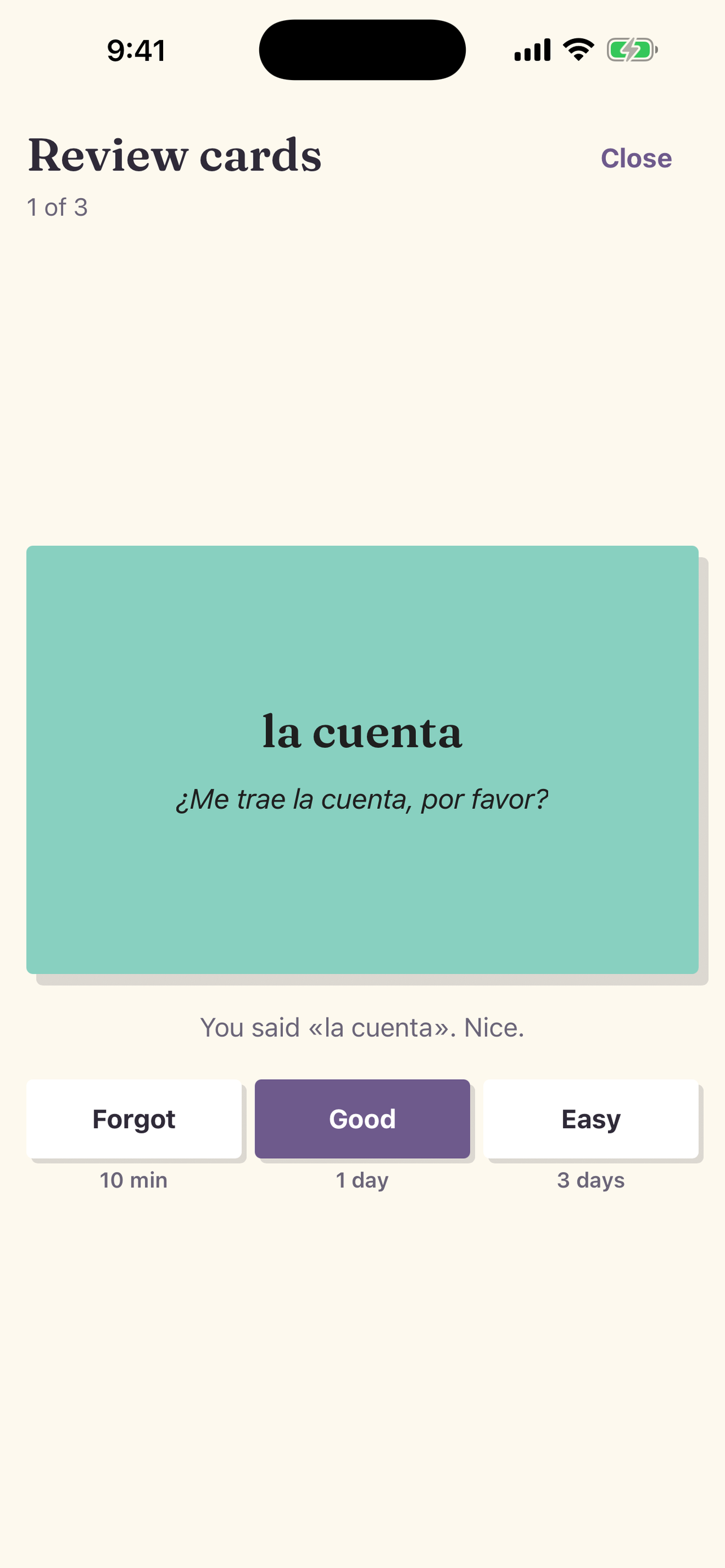
- Uyen shows the card and what it heard.
- If you said the word, Uyen suggests Good.
- If not, Uyen suggests Forgot.
- Select a grade. You can pick a different grade than the one that Uyen suggests.
A different ending still counts, because speech-to-text often gets endings wrong.
Say it uses less than one credit for each try. See Credits and plans. Uyen does not charge a try that it could not check. Say it is not available during a talk, because the talk uses the microphone. A Say it try does not count as a use of the word in a talk.
A short daily routine
- Open Words and select Review cards.
- Use Say it on each card, then grade yourself.
- Select Start a talk. Uyen asks for the words that you forgot.
To practice one word many times in one talk, use a Word Workout. To study your words in Anki, see Move words between Uyen, Anki, and Migaku.